Hiring more guides can improve your tour business, but tracking their schedules and ensuring accurate payments can get complicated. Manual processes often lead to double bookings, payroll errors, and compliance issues. Here's how you can simplify guide management:
- Automated Scheduling Tools: Avoid double bookings and manage assignments based on skills and availability.
- Shared Calendars: Provide guides with easy access to their schedules while preventing conflicts.
- Mobile Access: Enable real-time updates and notifications for smooth communication.
- Payroll Integration: Sync scheduling data with payroll systems to calculate hours, overtime, and tips automatically.
- Performance Tracking: Use reports and customer feedback to evaluate guides and improve operations.
Switching to cloud-based systems saves time, reduces errors, and keeps your guides happy while meeting legal requirements.
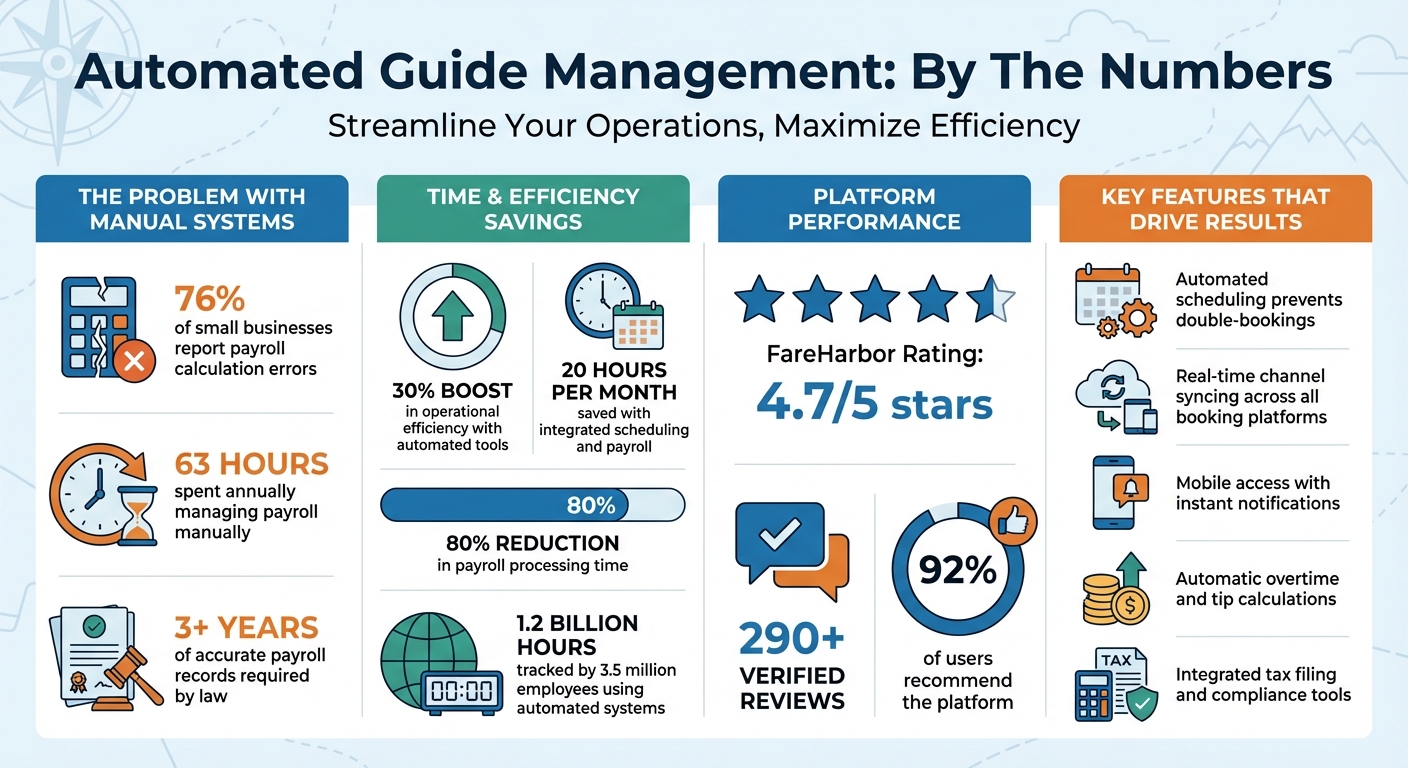
Guide Management Automation: Key Statistics and Benefits for Tour Operators
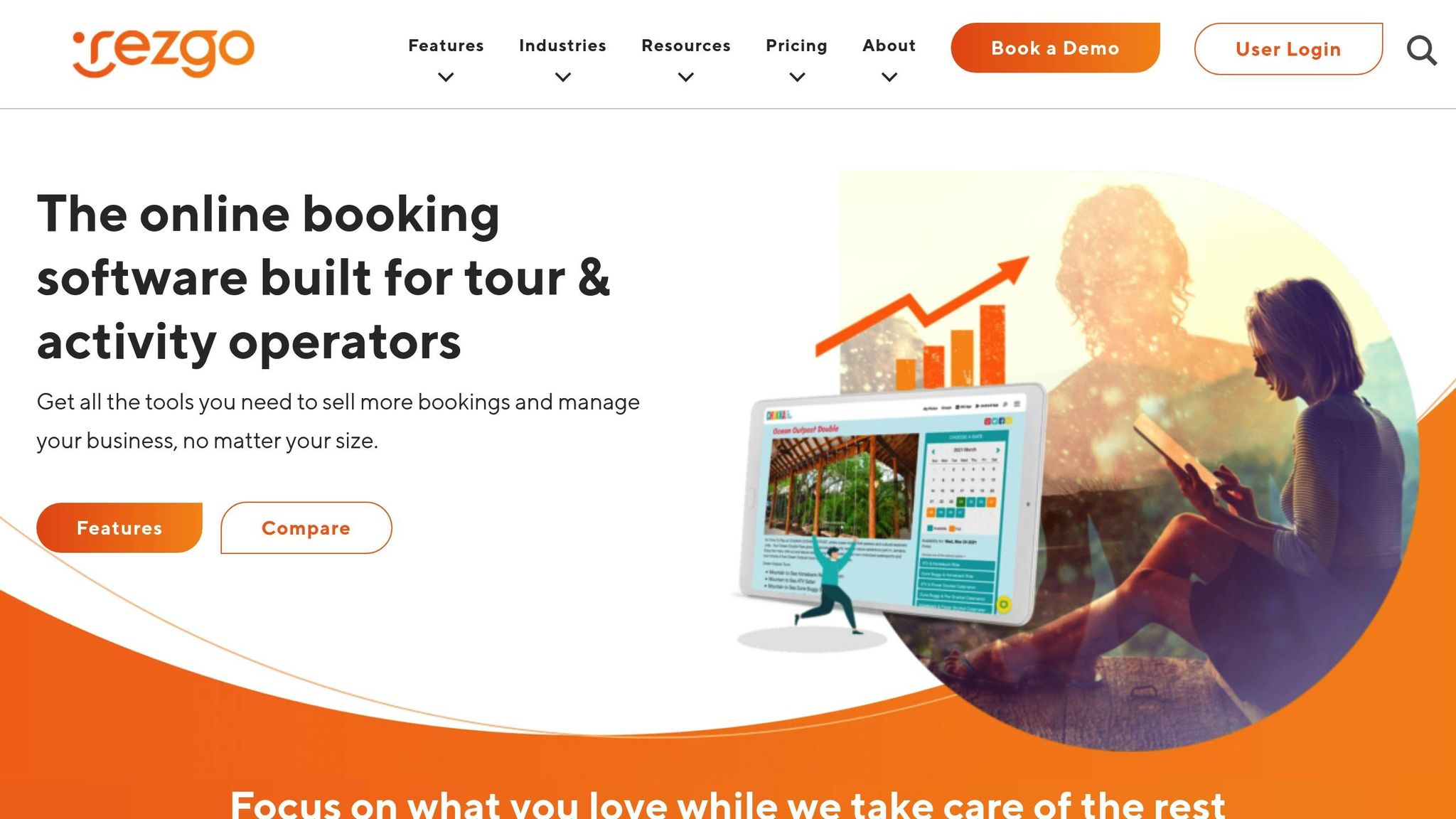
Scheduling Tour Guides With Rezgo
Common Problems with Guide Tracking and Payment
Managing multiple guides across various tours can quickly become a logistical headache when relying on manual scheduling. One of the most frequent issues is double-booking - assigning a guide to two tours at the same time or scheduling them during periods when they're unavailable. Without automated systems to flag these conflicts, such mistakes often go unnoticed until a guide fails to show up. Beyond double-booking, inefficient use of resources can further complicate operations.
Another challenge is underutilization of resources. For example, if a tour gets canceled but the guide isn't manually unassigned, their availability goes to waste, while idle pay still adds to costs.
Payroll management is another area prone to errors. When tracking multi-component pay - like commissions, bonuses, and overtime - manually, mistakes in calculating tax withholdings, benefits, or retirement contributions can occur. These errors aren't just costly; they also violate government regulations, which require accurate payroll records to be maintained for at least three years. Non-compliance can result in hefty fines.
Communication gaps further amplify these problems. Without automated notifications, guides may miss important updates, leading to delays in processing invoices or payment statuses. These issues become even more pronounced as the number of tours and guides increases.
While manual systems might work for smaller operations, scaling up introduces a level of complexity that makes it harder to stay organized and maintain accountability. Automated systems offer a clear solution to streamline guide management and payment tracking.
Using Scheduling Software to Manage Guide Assignments
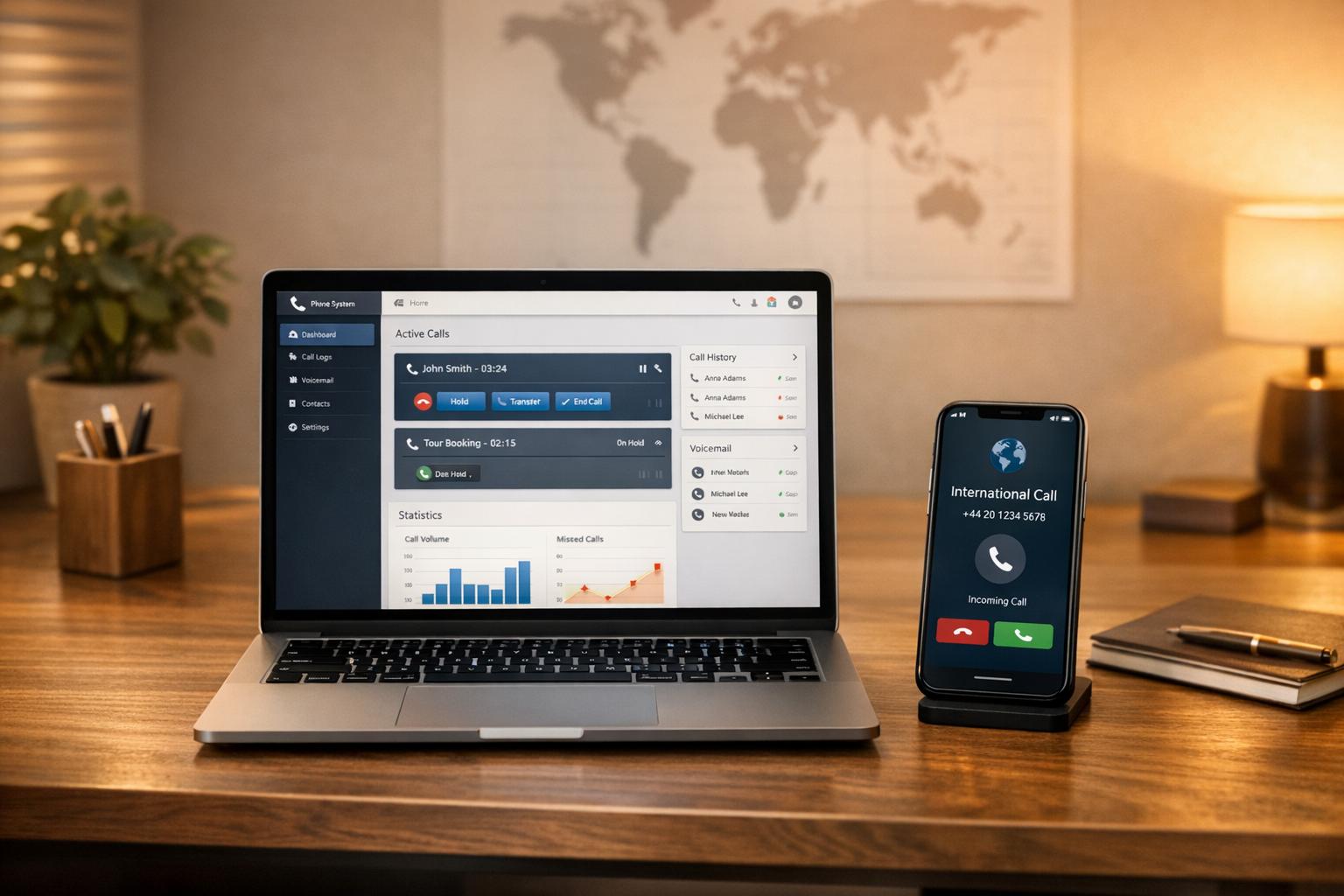
Automated scheduling systems have transformed how guide assignments are managed by centralizing the entire process. These platforms replace outdated methods like spreadsheets and text chains with a single, streamlined dashboard that tracks assignments and schedules in real time. This approach eliminates common issues like double-bookings or understaffed tours, making operations far more efficient [5, 13].
One of the standout features of these systems is their ability to automatically manage capacity. The software tracks the minimum and maximum limits for each tour - whether it’s based on guest numbers or equipment availability. Once a tour hits its limit, the system blocks additional bookings, removing the need for manual oversight.
Role-based assignments are another game-changer. Instead of manually sorting through notes to figure out which guide is certified for specific activities like kayaking or rock climbing, the software stores these credentials in each guide’s profile. It then matches guides to tours based on their skills and availability. For instance, FareHarbor, a popular platform, has earned a 4.7/5 rating from over 290 verified reviews, with 92% of users recommending it [1, 13].
"FareHarbor took us from an informal reservation system to an online booking platform where we can better manage our guests, activities, and policies." – Fariyal Savio, VP of Anela Kai Catamarans, Inc.
Another essential feature is real-time channel syncing. Whether bookings come through your website or third-party platforms like Viator or Expedia, the software updates availability across all channels instantly. This prevents situations where two customers might accidentally book the same guide for overlapping tours [12, 13]. These tools lay the groundwork for even more streamlined features like shared calendars and mobile updates.
Shared Calendars for Guide Assignments
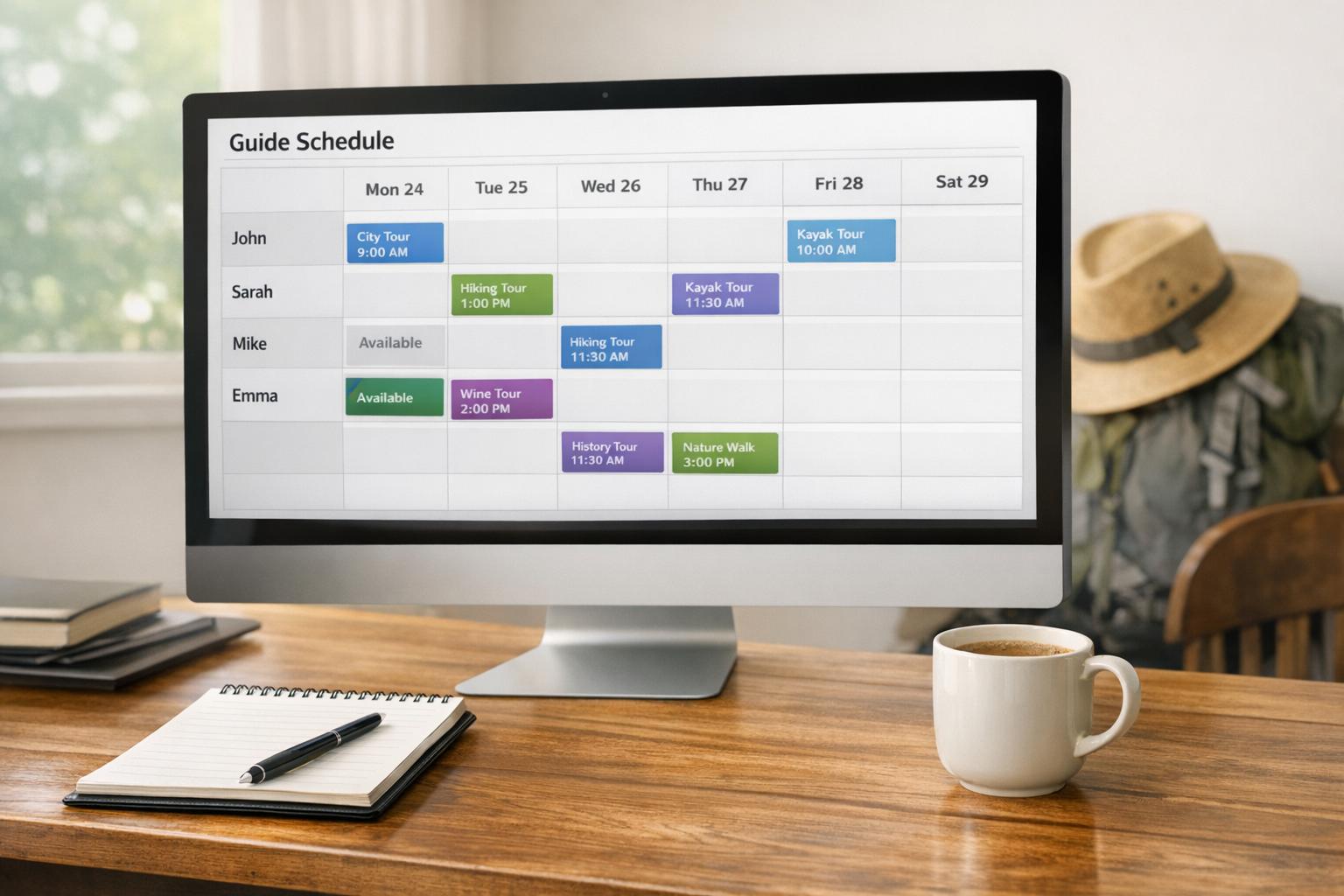
Shared calendars provide a clear, centralized view of guide assignments for everyone on the team. Managers and guides alike can access schedules without relying on calls or texts to confirm details. Guides can quickly log in to see their responsibilities, while managers gain a broader perspective to spot scheduling conflicts or underutilized resources.
Access controls ensure that guides only see the information they need for their role. For example, guides can review their own schedules and guest details without being exposed to sensitive financial data [5, 13]. Additionally, these platforms often integrate with personal tools like Google Calendar or iCal, so any updates to assignments are automatically reflected in a guide’s personal calendar. With clear scheduling in place, mobile access takes efficiency a step further.
Mobile Access and Instant Updates
Mobile-friendly scheduling tools allow guides to stay connected to their assignments no matter where they are. Whether at home, on the road, or already on-site, guides can check schedules, view guest lists, and stay updated in real time [1, 3].
Automated notifications - via SMS, email, or push alerts - immediately inform guides of any changes to their assignments. This eliminates delays caused by manual communication and contributes to a reported 30% boost in operational efficiency for businesses using these tools.
Mobile manifests are another useful feature, enabling guides to check in guests and review important details like dietary restrictions or accessibility needs on the go. Some platforms even offer QR code scanning to streamline check-ins and sync updates directly with the central dashboard [1, 15].
"The staff calendar feature, as well as the my calendar feature, is very easy to use and look over for our guides and users." – Travis W., Fishing Guide
Finally, two-way communication features allow guides to confirm or decline assignments directly from their phones. If a guide marks themselves unavailable or requests time off through the app, the system updates instantly, preventing accidental bookings during their downtime. This level of flexibility and real-time responsiveness ensures smooth operations and happier teams.
sbb-itb-3dd36ef
Connecting Scheduling Data to Payroll Systems
Once your guides are scheduled and completing tours, the next big hurdle is making sure they get paid accurately and on time. Manual payroll processes aren’t just tedious - they’re also prone to mistakes. Did you know that 76% of small businesses report payroll calculation errors, and employers spend an average of 63 hours annually managing payroll manually?. By connecting your scheduling software directly to your payroll system, you can streamline the process, minimize errors, and save time.
Look for platforms that integrate smoothly. Tools like Homebase and Gusto turn mobile devices, tablets, or computers into digital time clocks, enabling guides to clock in and out while on the go. Once a guide completes a tour, their hours automatically sync into payroll-ready timesheets - no spreadsheets required. This integration can save managers up to 20 hours per month.
"We really liked that Homebase payroll was consolidated and really easy to just run it straight out of reconciling timesheets." – Keegan Fong, Owner, Woon
If you’re using specialized booking platforms, tools like Zapier can help bridge the gap. For example, it can trigger updates in accounting software like QuickBooks Online by creating "Time Activity" or "Sales Receipts" based on booking updates. This means when a tour is marked complete, the guide’s hours and payment details flow directly into your payroll system.
The impact? Over 3.5 million small business employees used Homebase to log 1.2 billion hours worked last year, and businesses using these integrated systems report cutting payroll processing time by up to 80%.
Automatic Hour Tracking and Pay Calculations
Automated systems ensure precise wage calculations. When setting up payroll integration, you can define specific overtime policies - like time-and-a-half for hours over 40 per week or double-time for extended overtime. The system applies these rules automatically. For example, if a guide works 50 hours in a week, the software calculates regular pay, overtime, and double-time without manual input.
For tours starting at a central location, you can set up a "Time Kiosk" using a tablet, where staff clock in and out before heading to their assignments.
These systems also handle variable pay structures. If your guides earn tips, "Tip Manager" tools can pull tip data from Point of Sale systems, calculate distributions, and add them to timesheets for payroll processing. The same logic applies to bonuses or commissions - once the rules are set, the system handles the rest.
To maintain accuracy, approval workflows let managers review and approve timesheets before syncing to payroll. This ensures errors - like a guide forgetting to clock out - are caught and corrected before paychecks are issued. Once approved, the data locks to prevent further changes.
| Feature | Gusto Time Tracking | Homebase Payroll |
|---|---|---|
| Tracking Method | Mobile App, Web, Kiosk | Mobile App, Web, Kiosk |
| Overtime Calculation | Automatic (Daily, Weekly, Double) | Automatic |
| Compliance Tools | State-specific break alerts & premiums | Labor law guides & HR advisors |
| Integration | Built-in Payroll & API access | Built-in Payroll & POS sync |
| Employee Access | Mobile app for hours/schedules | Team messaging & early wage access |
"Homebase Payroll was a game changer... other solutions were built for big companies. Homebase is perfect for a small business like mine." – Awaken Bakery
Exporting Payroll Data for Tax Filing
When scheduling and payroll systems work together, tax compliance becomes a lot easier. Integrated platforms automatically update tax tables and file forms like W-2s and W-9s, helping you meet government deadlines. For tour operators with guides working across multiple states, this is especially helpful, as you’ll need to register in each state and stay up to date with varying federal, state, and local tax laws.
To ensure proper tax reporting, hour classification is crucial. Hours must be categorized - regular, overtime, double overtime - before syncing with payroll. Systems that sync data by individual shift (instead of aggregated pay periods) ensure compliance with labor regulations.
Integrated software also simplifies complex compliance rules. For instance, California labor law mandates an extra hour of pay for missed meal or rest breaks, which integrated time-tracking software can calculate automatically. Without automation, managing these rules across a team of guides would be overwhelming.
Before connecting systems, data reconciliation is essential. Employee details - names, IDs, contracts - must match perfectly between scheduling and payroll systems to avoid errors during data transfers. Double-check tax settings and unique pay arrangements beforehand to prevent any hiccups.
To maintain accuracy over time, use two-way integration (or "360 integration"). This ensures that changes in one system, like a pay rate update, instantly reflect in the other. This alignment eliminates discrepancies and keeps everyone on the same page.
Monitoring Guide Performance with CRM and Reports
Once you've automated scheduling and payroll, the next step in fine-tuning your operations is evaluating guide performance. This is where CRM systems and reporting tools shine, offering the data you need to make informed decisions about scheduling, rewarding top performers, and identifying areas for training.
Crew Reports let you track which staff members were assigned to specific bookings within a given time frame. This helps verify tour completion and balance workloads effectively. Meanwhile, Sales and Bookings by User reports break down revenue and customer volume by individual guide, revealing who’s driving sales and managing the highest number of guests. For a deeper look at quality, Custom Field Answers capture customer feedback tied to specific tours, offering valuable insights into guide performance and the overall tour experience.
Tools like mobile manifests provide a real-time view of upcoming reservations and check-ins, while Item Occupancy and Resource Reports highlight how well tour capacity and resources are being utilized. Together, these insights help you make smarter, data-driven decisions to refine your operations.
Linking Customer Reviews to Guide Incentives
Customer reviews are a reliable indicator of guide performance. Many modern CRM systems integrate with platforms like TripAdvisor, making it easy to spot guides who consistently earn glowing 5-star reviews. By linking guides to bookings through Crew Reports, you can use positive feedback as a basis for bonuses, commissions, or other compensation adjustments.
To encourage more feedback, configure your CRM to send thank-you emails and review requests after each tour. Include direct links to review platforms and suggest that guests mention their guide by name. This not only boosts review volume but also highlights individual contributions.
Monitoring customer ratings and comments helps identify where additional training might be needed. It also allows you to leverage your top-performing guides for mentoring roles or assign them to high-value tours where their expertise can shine.
Using Reports to Make Better Scheduling Decisions
Performance insights from detailed reports can transform your scheduling strategy. For example, Sales and Bookings by User reports and Item Occupancy reports reveal which guides excel at managing large groups or upselling extras. This allows you to assign your strongest performers to peak times or tours with high revenue potential. Seasonal trends displayed on reporting dashboards also help you strategically allocate top guides during busy periods when guest satisfaction is most critical.
Advanced reporting tools let you filter and group data by specific metrics. For instance, you can identify the guide with the highest customer count or the best performance on a particular tour type, ensuring optimal assignments.
Booking Details Reports provide granular insights, including the number of customers served, tour durations, and special requests handled. These details help you audit workload distribution, ensuring no guide is overbooked or underutilized. Additionally, Resource Uses Reports track how shared resources are managed during tours, offering a clear picture of guide efficiency with available tools.
Conclusion
Managing multiple guides doesn’t have to involve juggling spreadsheets or chasing down payments. With centralized scheduling tools, you can oversee assignments, availability, and upcoming tours all from one dashboard - no more flipping between apps or relying on sticky notes for reminders. By integrating these systems, hours and overtime can flow seamlessly into payroll-ready timesheets, eliminating manual data entry and reducing the chance of errors.
Platforms that combine scheduling, time tracking, and payroll can save managers up to 20 hours a month, streamlining operations significantly. Roxana Rodriguez, owner of RDR Hats, highlights the importance of such tools:
"As we grow, having Homebase is crucial. With more employees, I need everything running smoothly - especially since we pay weekly and payroll has to go out on time".
Beyond simplifying payroll and scheduling, CRM and reporting tools take your management strategy a step further. By connecting customer feedback to specific guides and identifying performance patterns, these tools help you pinpoint strengths and areas for improvement. You’ll know which guides thrive with large groups and where extra training might be needed - allowing you to make better scheduling decisions as your business expands.
Additionally, cloud-based solutions ensure you're meeting requirements for tax withholding, Social Security, and record-keeping as your team grows. Automated alerts and mobile access keep guides updated, reducing missed shifts, ensuring accurate payments, and fostering a more informed, reliable team.
FAQs
How can I use automated tools to avoid double-booking guides and ensure accurate payments?
To avoid double-booking, it's crucial to use a scheduling system that updates guide availability in real time and blocks overlapping reservations. Look for software that syncs seamlessly with each guide’s calendar - whether it's Google, Outlook, or another tool - and automatically marks them as unavailable during conflicting time slots. Adding buffer times between tours is another smart move. This not only prevents scheduling overlaps but also gives guides a chance to reset or travel between commitments.
When a tour is booked, the system should immediately assign a guide and notify them through email or push notifications. This ensures their calendar is updated right away, reducing the risk of them accidentally accepting another tour at the same time. By integrating your scheduler with your booking platform, you can enable real-time availability checks and confirmations, cutting down on errors and making payroll management smoother. With these tools, you can eliminate double-booking headaches and ensure guides are compensated accurately for their work.
How can I manage guide schedules and ensure they’re paid accurately?
To keep guide schedules running smoothly and ensure payments are accurate, it's worth investing in scheduling software that simplifies the process. One must-have feature is two-way calendar integration, which updates guide availability in real time to prevent double bookings. Another essential is a system that can automatically calculate pay - whether it's based on hourly rates, per-tour fees, or commissions - and sync seamlessly with your payroll platform to cut down on manual errors.
Look for tools that let you assign specific guides to tours while sending out real-time notifications via email or push alerts. This keeps everyone informed and reduces the chances of missed assignments. For added clarity, choose software with detailed reporting tools that allow you to filter by guide, date, or tour type, giving you a clear view of payouts. Lastly, permission controls are crucial to ensure only authorized team members can edit pay rates or approve payments, protecting financial accuracy. With these features in place, you’ll streamline operations and ensure your guides are paid correctly every time.
How can I use customer feedback to evaluate and improve guide performance?
To assess how well your guides are performing, start by gathering customer feedback automatically after each tour. Post-tour surveys are a great way to collect ratings and comments. Link this feedback directly to each guide's profile in your scheduling system, creating a dependable way to track their performance over time.
Once you've gathered enough data, analyze it alongside other important metrics like punctuality, completed tours, and no-show rates. Reporting tools can help you spot patterns, highlight your top-performing guides, and address any ongoing issues. For instance, guides who consistently receive high ratings could earn bonuses or pay increases. On the flip side, feedback can pinpoint areas where improvement is needed. By weaving customer input into your evaluation process, you not only recognize guides for their hard work but also help them deliver outstanding experiences.