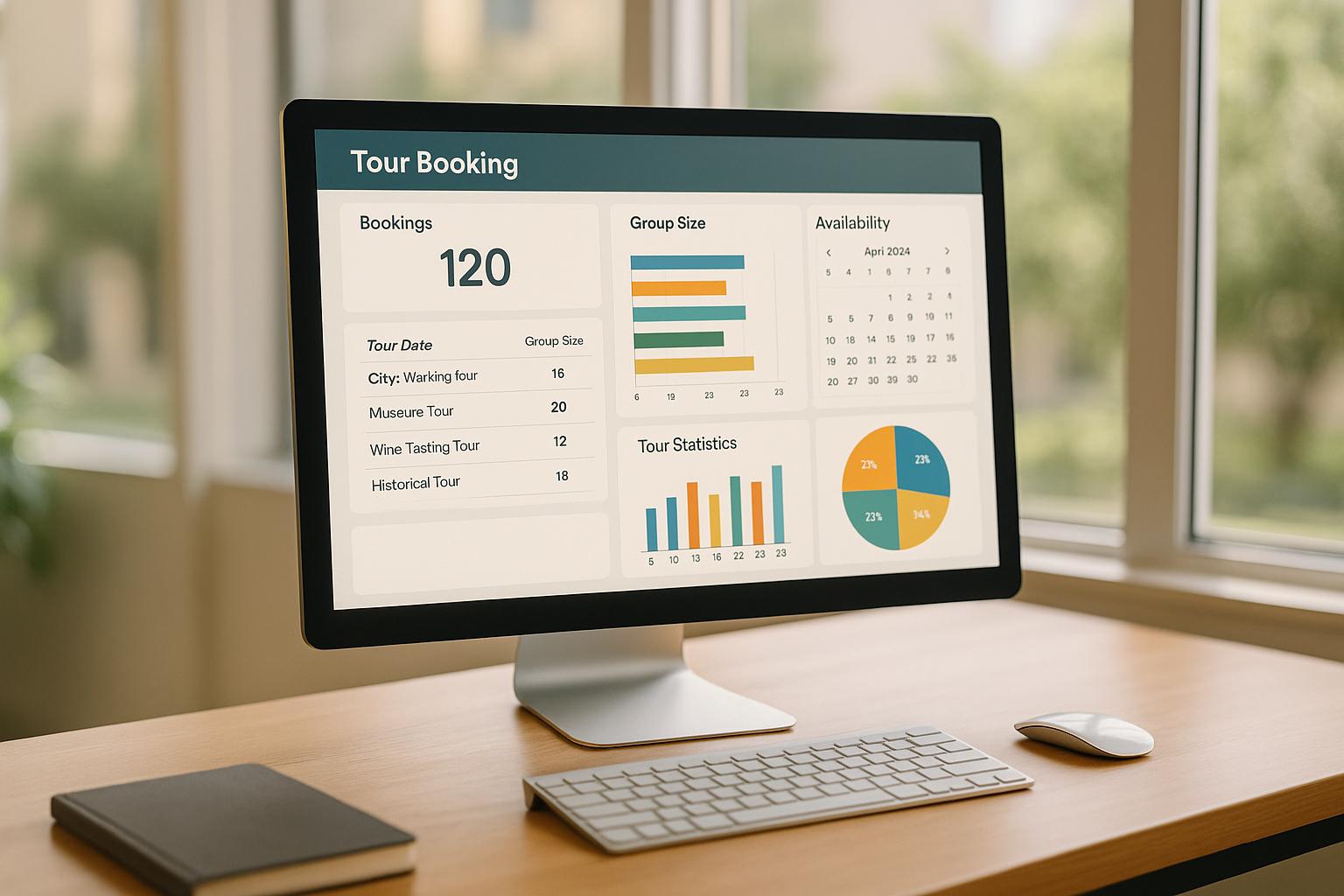
Tour operators determine group sizes by balancing safety, guest experience, and profitability. Manual methods like spreadsheets often fall short, especially as businesses grow. Specialized software simplifies this process by automating capacity management, tracking inventory, analyzing booking trends, and adjusting availability in real time. These tools help prevent overbooking, reduce missed revenue from underbooking, and ensure smooth operations.
Key points:
- Overbooking leads to refunds and unhappy guests; underbooking wastes resources.
- Group size depends on factors like vehicle capacity, staff availability, safety rules, and demand patterns.
- Software features include inventory tracking, dynamic pricing, utilization reports, and staff scheduling.
- Platforms like Directoury connect operators with tailored capacity management tools to streamline operations.
Using the right tools ensures better planning, happier customers, and optimized revenue.
What is an Online Booking System for Tour Operators and Do You Need One?
Why Tour Capacity Decisions Matter
Getting group sizes right isn’t just about maximizing attendance - it’s a critical factor in protecting profits and delivering the kind of experience that makes customers return. Misjudging capacity can lead to serious financial and operational headaches.
The Costs of Overbooking and Underbooking
Overbooking can create a domino effect of issues that damage both your bottom line and your reputation. When you accept more guests than you can handle, you’re left issuing refunds, dealing with unhappy customers, and scrambling for last-minute fixes. While the immediate financial hit from refunds is painful enough, the long-term impact on your brand can be even worse, potentially leading to fewer bookings down the road.
On the flip side, underbooking leaves money on the table. Every empty seat is a lost revenue opportunity. Since fixed costs - like maintaining vehicles, paying for insurance, and covering staff wages - don’t change regardless of how full your tours are, running below capacity can eat away at your profit margins.
Finding the right balance between these extremes requires careful planning to account for operational realities and guest safety.
Balancing Safety, Experience, and Profit
Setting the right group size isn’t just about squeezing in as many guests as possible; it’s about balancing revenue goals with operational and customer experience factors. Safety regulations, logistical constraints, and staffing levels all play a role in determining the ideal capacity. Maintaining a proper staff-to-guest ratio and following safety protocols ensures a secure and enjoyable experience for everyone on the tour. By factoring these elements into capacity planning, operators can enhance customer satisfaction while staying profitable.
Why Manual Capacity Planning Falls Short
Managing capacity with spreadsheets or guesswork doesn’t cut it in today’s fast-paced tour industry. Observations in the field show that relying on manual methods like spreadsheets or calendars is not only time-consuming but also prone to mistakes. Errors in inventory updates or communication can lead to upset customers, refund requests, and missed revenue opportunities. Additionally, as demand fluctuates with seasons and market trends, manual systems struggle to keep up in real time. Automated tools, on the other hand, can track patterns and adjust availability using predefined rules, offering a more reliable and efficient way to manage capacity. This highlights the growing need for data-driven solutions to optimize tour operations.
How Tour Operators Calculate Group Sizes
Figuring out the ideal number of guests for a tour involves juggling multiple factors, and modern technology has made this process much more efficient. While manual planning used to be the norm, automated tools now help operators fine-tune group sizes to balance capacity and demand.
Factors That Influence Group Size
Several key considerations play into determining the size of a tour group:
- Physical capacity: This is a straightforward limit. For example, kayak tours depend on the number of kayaks available, bus tours are restricted by seating, and walking tours are shaped by the size of the venue or pathway.
- Staff availability: The number of guides directly impacts group size. For instance, a wilderness hiking tour might require one guide per eight guests to ensure safety, while food tours might need one guide for every 12-15 participants to maintain group cohesion and ensure everyone can hear.
- Safety regulations: Different activities come with specific safety requirements. Adventure tours, water-based activities, or indoor experiences often have strict local guidelines that cap group sizes.
- Customer demand trends: Observing booking trends can highlight when adjustments are necessary. For example, a wine tour company might notice weekday bookings average 6-8 people, while weekends see larger groups of 20 or more. Understanding these patterns ensures capacity aligns with demand.
Leveraging Past Booking Data to Refine Capacity
Analyzing historical booking data helps operators make smarter decisions about group sizes and scheduling.
- Peak and off-peak trends: By identifying high-demand times, operators can optimize group sizes. A ghost tour company, for example, might see 25 guests per tour on Friday and Saturday nights but only 8 guests on Tuesdays. This insight allows for flexible capacity limits based on the day of the week.
- Revenue per tour: Comparing revenue across different group sizes reveals profitability sweet spots. A private food tour for six guests at $150 per person generates $900, while a larger group of 15 at $75 per person brings in $1,125. However, the larger group may incur higher costs for extra samples or staffing. Analyzing these figures helps operators strike the right balance.
- Booking lead times: Understanding when customers book can inform inventory management. If 70% of bookings happen within three days of the tour date, holding some last-minute availability makes sense. Conversely, if most reservations occur weeks in advance, operators can set capacity earlier without hesitation.
- Cancellation and no-show rates: Historical data on no-shows can guide overbooking strategies. For instance, if a tour consistently experiences a 10% no-show rate, operators might accept 1-2 extra bookings to account for this. However, this requires careful monitoring to avoid overbooking when everyone shows up.
Adjusting Capacity With Flexible Rules
Rather than sticking to rigid group sizes, many operators now use dynamic rules that adapt to specific circumstances.
- Conditional minimums: To avoid running unprofitable tours, operators set minimum group sizes. For example, a sunset sailing tour might require at least six paid guests to break even. If this minimum isn’t met 24 hours before departure, the tour is canceled, giving customers time to make other plans.
- Dynamic closeouts: To maintain quality, operators might close bookings slightly below capacity. A brewery tour with a maximum of 20 guests might stop accepting reservations at 18 to allow for walk-ins or last-minute additions, avoiding the need to turn people away.
- Time-based adjustments: Some tours vary group sizes based on the time of day. A museum tour might allow 30 guests in the morning when crowds are smaller but limit afternoon groups to 20 due to busier conditions.
- Weather-dependent limits: Outdoor activities often adjust capacity based on weather conditions. A whale-watching tour, for example, might reduce its capacity from 40 to 30 passengers during rough seas to ensure safety and comfort.
- Resource-based rules: When tours rely on specific equipment or supplies, group sizes can be adjusted accordingly. For instance, if kayaks or other gear are already in use for another tour, capacity is automatically reduced to avoid overbooking.
sbb-itb-3dd36ef
Software Features That Help Manage Capacity
Modern tour operator software takes the guesswork out of capacity management. By creating a centralized system for tracking availability and bookings across all channels - whether customers book online, through an OTA, or over the phone - it simplifies operations and reduces errors. Building on earlier advancements like dynamic capacity adjustments, today’s software integrates these features seamlessly. Here’s a closer look at the tools that make this possible:
Inventory and Resource Tracking
Real-time tracking ensures that bookings only happen when the necessary resources - like equipment, vehicles, or guides - are available. The software keeps tabs on everything from bicycles and helmets to tour guides, updating availability as these resources are allocated. For instance, Austin Bike Tours implemented a resource management tool within their booking system, which helped eliminate overbookings and improve inventory control. This feature becomes especially crucial when resources are shared across multiple tours, as the system factors in turnaround times, maintenance needs, and staff availability to avoid scheduling conflicts.
Capacity Rules and Availability Settings
Automated capacity rules make booking management a breeze. These features let you set maximum and minimum capacity limits for each tour, block out dates when tours won’t run, and establish rules for shared resources. For example, when a customer books a spot on your website, the system automatically updates availability across OTAs, reseller platforms, and other channels.
You can also set booking limits for specific partners. Perhaps you allow a hotel concierge to book a limited number of spots while granting a larger reseller access to more inventory. The software tracks these allocations and adjusts overall capacity accordingly.
Dynamic capacity management takes it a step further, considering factors like staffing levels, equipment availability, and booking lead times. For instance, a wine tour might reduce weekday capacity due to fewer available guides but expand on weekends to meet higher demand.
Utilization and Demand Reports
Analytics tools transform booking data into actionable insights. Utilization reports provide a breakdown of tour performance by time slot, day, and season, helping you identify which tours are consistently popular and which are underperforming. These insights can guide decisions about marketing efforts or adjusting tour schedules to better align with demand.
The software also tracks no-show rates and cancellation trends, making it easier to refine your overbooking strategies. By analyzing these patterns, you can move away from manually updating spreadsheets and focus on more strategic planning.
Dynamic Pricing and Demand Management
Dynamic pricing tools help you maximize revenue by adjusting tour rates based on demand, booking lead times, and capacity. If a tour is filling up quickly, the system can automatically raise prices to capitalize on high demand. On the flip side, when a tour is underbooked close to its departure date, prices can be lowered to attract last-minute customers and fill empty spots. This approach ensures you make the most of peak periods while minimizing losses during slower times.
Staff Scheduling Tools
Staff scheduling features align your team’s availability with booking capacity, ensuring you don’t overbook tours beyond what your staff can handle. The software manages guide schedules and adjusts tour availability when staff are unavailable. For example, Circle City Balloons, a weather-dependent operator, saved 2 to 3 hours daily on rescheduling tasks after adopting automated scheduling. When cancellations occur due to weather, the system reallocates guides and updates availability, keeping operations running smoothly.
These tools also prevent scheduling conflicts by blocking out times when guides are already booked, on breaks, or handling other responsibilities. By integrating with capacity rules, the software ensures that the number of tours matches the number of available guides, keeping your calendar accurate without manual updates.
How Directoury Helps Tour Operators Find Capacity Tools
When it comes to choosing capacity management software, the sheer number of options can feel overwhelming. Not every tool will fit your business model, so it’s essential to find a solution tailored to your needs - whether that’s managing seasonal fluctuations, coordinating shared resources, or syncing multiple sales channels. That’s where Directoury steps in to simplify the process.
Finding the Right Capacity Software
Directoury’s marketplace connects tour operators with a curated selection of over 200 verified software vendors. These vendors specialize in booking, scheduling, and capacity management solutions. Instead of sifting through countless platforms or relying on generic reviews, Directoury provides a streamlined way to discover tools that are already vetted for their ability to serve activity providers. You can filter vendors by the features that matter most to your business, ensuring you’re only evaluating solutions that align with your specific operational needs.
AI-Powered Software Recommendations
Directoury takes it a step further with its AI-powered recommendation system. By sharing your business challenges - like preventing overbookings or improving resource coordination - the platform quickly matches you with vendors that address those exact issues. This eliminates the guesswork and speeds up the decision-making process, giving you confidence in your choice.
Capacity management doesn’t exist in a vacuum, though. To be truly effective, it needs to integrate seamlessly with tools like payment processors, customer relationship management (CRM) systems, and marketing platforms.
Building an Integrated Tech Stack
Directoury also provides guidance on how to build an integrated tech stack. As capacity tools become more advanced, the platform offers expert advice and buyer’s guides to help you identify the right integrations. You’ll learn which software connections are essential, how to prioritize your investments, and what questions to ask vendors. By focusing on integration, you can reduce data silos and minimize manual tasks, setting the stage for smoother operations and long-term efficiency.
Conclusion
Getting group size just right affects more than just logistics - it plays a key role in profitability, guest satisfaction, and smooth operations. Poor planning can lead to overbookings, inefficiencies, and missed revenue opportunities.
Thankfully, today's technology offers smarter ways to tackle these challenges. Advanced software can monitor real-time inventory, analyze booking trends, and automatically adjust availability. These tools help strike a balance between keeping customers happy and driving revenue growth.
Directoury takes this a step further by simplifying the process of finding the right capacity management solution. With a curated marketplace of verified software providers and AI-powered recommendations tailored to your needs, it connects you with tools designed to meet your specific challenges.
Managing capacity effectively isn’t something to leave to chance. Whether you're dealing with seasonal demand, coordinating multiple tour guides, or juggling bookings across platforms, the right technology can turn these hurdles into opportunities. By using strategic tools, you can align revenue goals, safety standards, and customer satisfaction - all while keeping both your guests and your bottom line in check. Directoury makes it easier to find the solutions that make this possible.
FAQs
How do tour operators decide the best group size for their tours?
Tour operators can figure out the best group size by using specialized software tools like capacity management systems, booking platforms, and analytics solutions. These tools dig into details such as customer preferences, operational costs, and profitability, helping operators strike the right balance between providing an enjoyable guest experience and running tours efficiently.
Automating these decisions allows operators to rely on data-driven insights that adjust based on the type of tour and seasonal demand. This not only streamlines the process but also boosts revenue potential while keeping customer satisfaction high.
What should tour companies look for in capacity management software?
When selecting capacity management software, tour companies should focus on tools that provide demand forecasting, real-time capacity tracking, and utilization analytics. These features are key to fine-tuning group sizes, enhancing the customer experience, and boosting profitability.
It’s also a good idea to choose software with scenario modeling to experiment with various group sizes, flexible resource management to adjust to shifting demands, and integration capabilities to seamlessly work with your existing booking systems. Additionally, advanced reporting features can deliver actionable insights to aid in planning and future growth.
How can analyzing past booking data improve tour group sizes and schedules?
Analyzing previous booking data gives tour operators a clear edge when it comes to planning group sizes and schedules. By spotting trends in customer demand, they can better anticipate peak periods, tweak tour availability, and allocate resources where they’re needed most.
This approach not only helps avoid overbookings but also enhances the overall customer experience. Plus, it ensures tours are running at optimal capacity, striking the perfect balance between smooth operations and happy customers - all while boosting revenue.