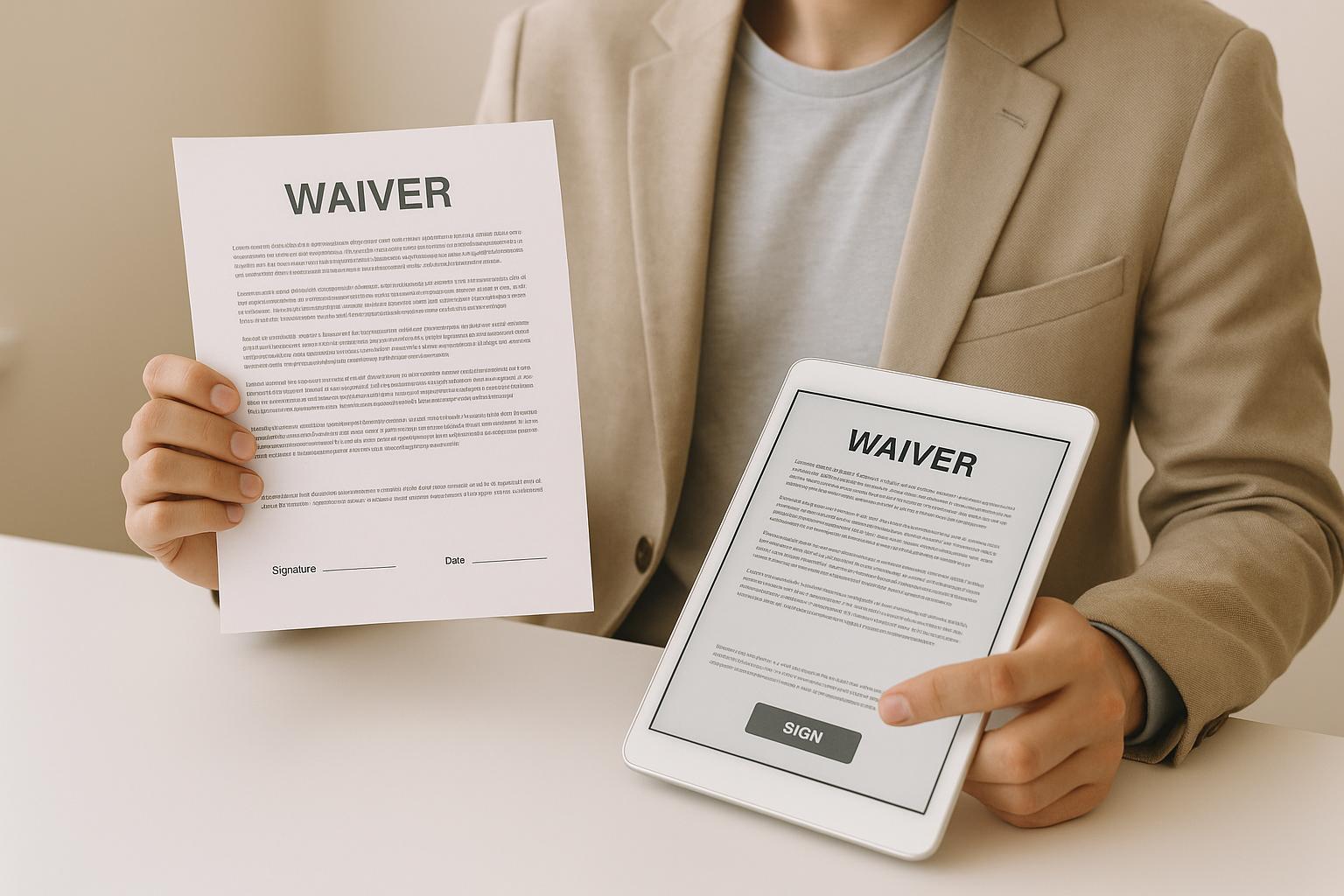
When it comes to waivers, both paper and digital formats are legally valid in the U.S. The choice depends on your business needs. Paper waivers are simple and cost less initially, but they require more storage and are prone to damage or loss. Digital waivers, while requiring upfront investment in software, are faster, easier to manage, and offer secure cloud storage with added features like real-time validation and automated reminders.
Key Points:
- Waivers protect businesses by outlining risks and securing participant consent.
- Paper waivers are better for low-tech setups or remote locations.
- Digital waivers save time, reduce errors, and integrate with booking systems.
- Both formats must meet legal standards, like clear language and proper signatures.
If you’re handling high customer volumes or want smoother operations, digital waivers are the better choice. A hybrid approach - offering both formats - can ensure flexibility and accessibility for all customers.
How to create waivers for your customers
Paper vs. Digital Waivers: How They Compare
Both paper and digital waivers serve the same legal purpose, but the way they operate couldn't be more different. By understanding how each format works, you can make a better choice for your business. Let’s break down their processes, efficiency, and management to see which option fits your needs.
How Paper Waivers Work
Paper waivers follow a simple yet time-heavy process. When customers arrive, they’re handed a printed form to fill out by hand. This includes providing personal details like their name, address, phone number, and emergency contact, followed by a signature acknowledging the risks.
Once signed, the real work begins. Staff have to organize, file, and eventually retrieve these waivers - a manual process that takes up time and leaves room for error. Since businesses often need to store these documents for years to protect against potential legal issues, paper waivers also demand a lot of physical storage space. Over time, this can become a logistical headache as the files pile up. Plus, paper is vulnerable - spills, tears, or even a misplaced document can cause permanent loss.
The workload grows alongside your business. More customers mean more forms to manage, more filing cabinets, and more chances for errors. It's a system that works, but it’s far from efficient.
How Digital Waivers Work
Digital waivers take a much more streamlined approach, leveraging technology to simplify the entire process. Customers can complete and sign waivers on devices like tablets at your location, their smartphones, or even their home computers before arriving. The digital forms include the same legal language and disclosures as paper waivers, but with added convenience.
Instead of a pen, customers use a touchscreen or mouse to sign electronically. Their information is entered into form fields that can include validation to catch errors like incomplete phone numbers. Once submitted, the system instantly stores the waiver in secure, cloud-based storage. Customers often receive a copy by email, and your staff can access the document in seconds using search tools - no filing cabinets required.
Digital systems also come with features that paper simply can’t match. For example, some platforms flag incomplete waivers, send reminders for renewals, and even generate reports to track how many waivers you’ve collected. They can also recognize repeat customers, so returning visitors don’t need to re-sign if their waiver is still valid. Pre-arrival waivers further speed up the check-in process, ensuring a smoother experience for everyone.
Comparison Table: Paper vs. Digital Waivers
Here’s a quick look at how paper and digital waivers stack up:
| Factor | Paper Waivers | Digital Waivers |
|---|---|---|
| Initial Cost | Low - printing and storage supplies | Higher - requires devices and software |
| Ongoing Costs | Recurring costs for paper, ink, and storage | Software fees; minimal other expenses |
| Check-In Speed | Slower: Manual input and filing | Faster: Digital input with auto-validation |
| Storage Requirements | Needs physical space; grows over time | No physical space; cloud-based storage |
| Retrieval Time | Minutes to hours searching files | Instant with search tools |
| Security | Prone to loss, damage, or theft | Encrypted and access-controlled storage |
| Scalability | Challenging - more customers mean more resources | Effortless - handles growth without extra effort |
| Accessibility | Limited to on-site signing | Available remotely, 24/7 |
| Data Analysis | Manual tracking; time-intensive | Automated reports and insights |
| Legal Validity | Legally binding when properly executed | Equally binding under ESIGN and UETA |
While paper waivers may seem cheaper upfront, the ongoing costs add up quickly. A business handling 100 waivers weekly uses roughly 5,200 sheets of paper annually, not to mention ink, printer upkeep, and storage supplies. Digital waivers, on the other hand, require an initial investment in devices and software, but these costs level off over time, especially as your business scales.
Security is another key difference. Paper waivers stored in filing cabinets are vulnerable to theft, damage, or unauthorized access. Digital systems, however, offer encryption, password protection, and detailed audit trails. These features not only protect your data but also provide evidence - like timestamps and IP addresses - if you ever need to prove in court that a waiver was signed properly.
Scalability is where digital systems truly shine. Adding more customers with paper waivers means more paperwork, more storage, and more staff time. Digital platforms, however, handle increased volume effortlessly. Whether you’re managing 100 waivers or 1,000, the process stays the same - efficient and hassle-free.
Legal and Business Requirements for Waivers in the United States
Understanding the legal framework surrounding waivers is essential for safeguarding your business. Whether you opt for paper or digital waivers, they must meet legal standards while also supporting your daily operations. Here’s a breakdown of what you need to know to stay compliant and efficient.
Legal Requirements for Valid Waivers
For a waiver to hold up in court, it must meet specific legal standards, regardless of whether it’s on paper or digital. The waiver should clearly outline the risks involved in the activity. A vague disclaimer like “the company is not responsible for anything” won’t provide adequate protection. Instead, the document must spell out specific risks - whether they arise from activities like rock climbing, horseback riding, or trampoline jumping.
The waiver must also be signed voluntarily. Customers should have enough time to read and understand the document without feeling rushed or pressured. If someone is hurried through the process, it could jeopardize the waiver’s validity if challenged later.
Signature requirements are equally crucial. The person signing must be legally eligible - usually 18 years or older. For minors, a parent or legal guardian must sign on their behalf. Whether the signature is handwritten or electronic, it must clearly identify the signer.
Digital waivers are legally recognized under federal law. Electronic signatures carry the same legal weight as handwritten ones, provided the signer consents to use electronic methods and can retain a copy of the document. This is why most digital waiver systems email a copy to the customer after signing.
It’s also important to highlight liability clauses using formatting techniques like bold text to ensure they stand out. State laws, however, can affect the enforceability of liability waivers. While federal law supports electronic signatures, individual states may have specific rules, especially when it comes to gross negligence or intentional misconduct. Ensuring compliance with the laws of the state where your business operates is critical.
Once you’ve met the legal requirements, it’s time to consider how the choice between paper and digital waivers impacts your business operations.
Business Impact of Paper vs. Digital Waivers
Beyond meeting legal standards, the format of your waivers can significantly affect your day-to-day efficiency. Paper waivers, for instance, can become a logistical headache during busy periods. On peak days or weekends, check-in lines may slow down as customers fill out forms by hand. Staff also have to spend time collecting, reviewing, and filing these documents, which can add to delays.
Digital waivers, on the other hand, streamline the process. Customers can complete waivers on their own devices, either while waiting or even before arriving at your location. Digital systems can validate entries in real-time, reducing errors, and staff can easily track which waivers have been completed, speeding up the check-in process.
Paper waivers also come with storage challenges. They require physical space, are prone to damage or loss, and can be difficult to retrieve in emergencies. Digital systems solve these problems by storing waivers securely in the cloud with automatic backups. This ensures your records are safe, accessible, and protected against disasters.
Another advantage of digital waivers is their ability to integrate seamlessly with booking and management systems. For instance, when a customer books an experience online, they can receive a link to complete the waiver ahead of time. Features like automated reminders and centralized access are especially helpful for businesses with multiple locations, making operations smoother and more efficient.
How Digital Waivers Improve Compliance
Staying compliant isn’t just about having valid waivers - it’s also about being able to prove that proper procedures were followed. Digital systems create an audit trail that paper waivers simply can’t match. Every action - like when a customer opened the waiver, reviewed it, and signed it - is logged with timestamps and metadata. This detailed recordkeeping strengthens compliance and supports efficient operations.
Version control is another key benefit of digital platforms. If you need to update waiver language, digital systems ensure that all customers are signing the latest version. This makes it easier to comply with changing legal standards.
Digital storage also simplifies record retention. Many states require businesses to keep liability waivers for several years. With digital systems, you don’t need to worry about physical storage space. Automated retention policies can archive older waivers while keeping them accessible for review when needed.
Digital waivers also offer clear, audit-ready proof for insurance purposes. You can generate detailed reports on waiver completion rates and trends, which can help during insurance renewals or claims investigations.
Accessibility is another area where digital waivers shine. They can be offered in multiple languages, with adjustable font sizes and compatibility with screen readers for customers with visual impairments - features that are much harder to implement with paper waivers.
Switching to digital waivers not only meets legal requirements but also streamlines business processes. Digital systems ensure consistency, as every customer receives the same version of the waiver. They also provide more robust parental consent workflows, requiring a parent or guardian to authenticate their identity and provide explicit consent for minors.
In the next section, we’ll explore when each waiver format is best suited for your business needs.
sbb-itb-3dd36ef
When to Use Paper vs. Digital Waivers
Deciding between paper and digital waivers depends on the specific needs of your business. Both formats offer unique advantages, and knowing when to use each can enhance customer experience and safeguard your operations.
When Paper Waivers Make Sense
Paper waivers are a practical choice in situations where technology might fail. For instance, businesses operating in remote areas with limited or no internet access can rely on paper forms as a dependable solution. These waivers also appeal to older customers who may feel more comfortable with physical forms. For small-scale operations with low customer traffic, managing paper forms is straightforward and cost-effective, making a full digital setup unnecessary. Even businesses that primarily use digital systems should keep paper waivers as a backup for unexpected scenarios like power outages or system failures.
When Digital Waivers Make Sense
Digital waivers shine in high-volume settings. Businesses like trampoline parks, escape rooms, and adventure centers, which handle large numbers of waivers daily, can streamline their processes with digital systems. Allowing customers to sign waivers in advance reduces check-in delays and improves efficiency. For companies with multiple locations, digital waivers ensure consistency and provide centralized access to records. They’re also a great fit for businesses with online booking systems, as they minimize wait times and can adjust to different languages, catering to diverse or international customers. Plus, digital waivers eliminate the need for physical storage, freeing up valuable space.
The key is to choose a format that works best for your operations while ensuring the process is accessible to everyone.
Making Waivers Accessible to All Customers
Regardless of the format, accessibility is essential for a smooth waiver process. Digital systems should be user-friendly, featuring large, clear text and simple instructions. Touchscreen compatibility is crucial to accommodate all users, including older individuals or those less comfortable with technology.
A hybrid approach can be particularly effective, especially during transitional periods. Offering both paper and digital options allows customers to choose what works best for them, helping ease the shift to digital systems. Staff training is equally important - providing front desk teams with tablets and teaching them to assist customers with digital signing can significantly improve the experience.
It’s also vital to respect customer preferences. Those who prefer not to sign digitally should always have the option to complete a paper waiver instead. Additionally, all waivers must be written clearly and prominently to ensure they are legally valid and easily understood by customers.
Whether customers sign on paper or digitally, the goal is to make them feel informed, comfortable, and confident about what they’re agreeing to.
Finding the Right Digital Waiver Tools
Choose a digital waiver platform that simplifies check-ins, strengthens legal safeguards, and enhances the overall customer experience.
Why Use Digital Waiver Platforms?
Digital waiver platforms are specifically designed to meet the needs of experience-based businesses, such as tour operators, activity providers, and attraction venues. These tools address common challenges while offering several key benefits.
One major benefit is data security. Digital waivers are encrypted and regularly backed up, providing peace of mind that your records are safe.
Another advantage is system integration. These platforms can seamlessly connect bookings, payments, and customer data. For example, when a customer books an activity online, they can sign the waiver in advance, ensuring their information is ready to go at check-in.
By eliminating manual paperwork, digital waivers also save time. This allows your staff to focus more on creating a memorable experience for your guests.
What to Look for in Digital Waiver Platforms
Not all digital waiver platforms are built the same, so it’s important to evaluate features that directly impact your business operations and legal needs.
- Mobile compatibility: Customers should be able to sign waivers on any device, whether it’s a smartphone, tablet, or desktop. The interface should be user-friendly, with clear navigation and legible text.
- Integration capabilities: Look for platforms that sync with your existing tools, such as booking systems, point-of-sale software, and customer management tools. Fewer systems to juggle mean smoother operations for your team.
- U.S. legal compliance: The platform should include legally vetted templates that align with state requirements, helping to reduce legal risks and ensure your waivers are enforceable.
- Secure storage and retrieval: Choose a system that offers encrypted, searchable storage and audit trails. This makes it easy to track when waivers were signed and monitor any changes.
- Reporting capabilities: A solid platform should generate reports that reveal trends, such as peak activity times or the number of waivers signed. These insights can help you make smarter decisions about staffing and operations.
- Customization options: Your business is unique, and your waiver platform should reflect that. Look for tools that let you add your logo, modify waiver language for specific activities, and include tailored questions. Whether you need to capture equipment details or additional disclosures, flexibility is key.
By focusing on these features, you’ll be better equipped to find a platform that meets your specific needs.
Find Tools with Directoury

Directoury makes it easier to find software tailored to the experience economy. This specialized resource connects tour operators, activity providers, and experience-based businesses with vendors who understand their unique challenges.
With a marketplace of over 200 verified software vendors, Directoury offers a range of digital waiver platforms designed for businesses like yours. Its AI-powered recommendations help match you with solutions that fit your specific requirements, whether you’re running a small adventure park or managing multiple locations across the country.
But Directoury doesn’t stop at waiver systems. You can also explore booking platforms, payment processors, and other essential tools - all in one place. Detailed buyer’s guides and reviews from fellow operators provide practical insights into what features matter most.
Best of all, Directoury is completely free for experience operators. You can browse vendor profiles, compare options, and connect directly with providers without any sales pressure. Whether you’re looking for a standalone waiver tool or an all-in-one system that integrates waivers, bookings, and payments, Directoury helps you make informed decisions confidently.
The right digital waiver platform not only improves efficiency but also strengthens your business’s legal foundation. With Directoury’s specialized focus on the experience economy, you can find solutions that have been proven to work for businesses just like yours.
Conclusion: Choosing the Right Waiver Solution
Key Takeaways
Waivers are essential for protecting your business from liability, but the format you choose - paper or digital - affects both legal compliance and daily operations. In the U.S., both formats are valid as long as they're properly handled.
Paper waivers work well in low-volume settings or for businesses that aren't tech-savvy. However, they come with challenges like storage issues, difficulty in retrieval, and the risk of being lost or damaged over time.
Digital waivers, on the other hand, are ideal for most experience-based businesses. They simplify check-ins, cut down on administrative tasks, and seamlessly integrate with booking systems, leading to faster and more accurate operations. For businesses managing a high volume of customers daily, the efficiency and convenience of digital waivers make them an obvious choice.
A hybrid approach can be a smart solution - using digital waivers as the primary method while keeping paper forms as a backup for customers who prefer them. This ensures accessibility while still reaping the benefits of digital systems for the majority of transactions.
When deciding on a solution, consider factors like customer volume, your technical setup, staff capabilities, and budget. A small business with just 10 customers a week has very different needs compared to a multi-location operation processing thousands of waivers monthly. Choose a solution that meets your current needs but can also scale as your business grows.
Next Steps
Now that you've weighed the pros and cons of both formats and understand the legal requirements, it's time to analyze your current waiver process. Ask yourself: How much time does your staff spend managing paperwork? How often do you need to retrieve old waivers? Are check-ins causing delays for customers? Pinpointing these issues will help guide your decision.
If you're considering digital options, focus on platforms designed specifically for experience-based businesses. While generic e-signature tools might seem like a cheaper option, they often lack the integrations and specialized features that your industry demands.
To make the process easier, Directoury provides a free resource to explore digital waiver platforms tailored to experience-based businesses. With over 200 verified software vendors and AI-powered recommendations, you can find solutions built for tour operators, activity providers, and similar businesses. Browse detailed profiles, read reviews from other operators, and connect with vendors directly - without any sales pressure or hidden fees.
Whether you need a standalone waiver system or an all-in-one platform that also handles bookings, payments, and customer management, taking the time to find the right fit will save you headaches in the long run. A well-chosen solution will streamline your operations and strengthen your legal protections.
FAQs
What legal factors should I consider when using digital waivers for my business?
Digital waivers can hold legal weight in the U.S., provided specific conditions are met. The person signing must clearly intend to sign the document, agree to do so electronically, and their signature must be uniquely linked to them. It's equally important to ensure that once signed, the waiver is securely stored and safeguarded against any alterations.
To ensure compliance, opt for a trusted digital waiver platform that meets these requirements and keeps your documents secure. This approach not only shields your business from legal risks but also offers a smooth and hassle-free experience for your customers.
How can I make digital waivers easy to use for all customers, including those who aren’t comfortable with technology?
To ensure digital waivers are user-friendly for everyone, prioritize simplicity and ease of use. Opt for a system with large, easy-to-read text, straightforward instructions, and an intuitive layout designed for touchscreens. This way, even those who aren't tech-savvy can complete the process without frustration.
Offering support can further enhance the experience. Providing tablets or kiosks on-site and having staff available to assist customers can make a huge difference. This not only makes the process more accessible but also creates a smoother and more welcoming environment for everyone.
What should I consider when deciding between paper and digital waivers for my business?
When choosing between paper and digital waivers, it's important to consider how each option affects your workflow and the overall customer experience. Digital waivers bring a level of convenience that paper simply can't match. Customers can sign them electronically from anywhere, saving time and cutting down on the hassle of managing physical forms. Plus, with cloud-based systems, these waivers are securely stored, easy to access, and neatly organized.
Another advantage of digital waivers is their cost-effectiveness and environmental benefits. By eliminating the need for printing and storing physical documents, businesses can save money and reduce paper waste. In the U.S., electronic signatures are legally binding as long as they meet compliance standards, offering the same legal protection as traditional paper waivers. For many modern businesses, digital waivers are a go-to solution for streamlining operations and boosting efficiency.